The Hi Mum scam: a new number and an urgent bill
By the StoryCheck team · 7 min read · Published
The Hi Mum scam is a WhatsApp message or text from an unknown number that claims to be your son or daughter on a new phone and, within a few messages, asks you to pay an urgent bill because their banking app will not work. In the UK the check that ends it takes ten seconds: ring the number you already have saved for them and speak to them before any money moves. If you have already paid, call your bank on 159 straight away.
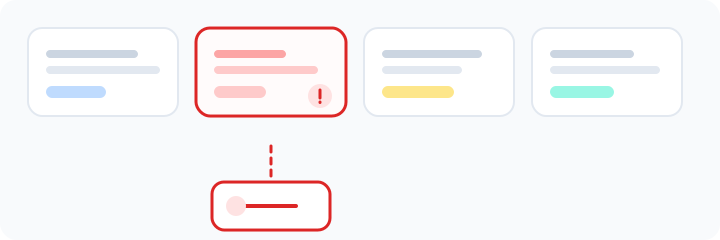
How does the Hi Mum message usually unfold?
Take Five, the UK banking industry's fraud awareness campaign, describes a typical case: a father gets a text from a new number saying his son has lost his phone, cannot get into his mobile banking and urgently needs a bill paid. He transfers the money, and the "son" is never heard from again.
- 1
The new number
"Hi Mum, it's me, I've broken my phone, this is my new number." Accepting that one line is the whole trick, because it explains why the number is unknown and makes messaging the old one feel pointless.
- 2
The warm-up
A few ordinary messages follow: how are you, sorry for the hassle. Santander's fraud team has reported that posing as a son is the most successful version, followed by a daughter and then a mother.
- 3
The problem
A bill, rent or a delivery has to be paid today, and the banking app "won't work on the new phone yet".
- 4
The account
You are asked to pay an account in somebody else's name: a friend, a landlord, a shop. If your banking app's name check warns that the name does not match, that warning is telling you the truth.
- 5
The follow-up
If one payment goes through, do not be surprised by a second request, or by "don't tell Dad, I'll sort it".
The newest twist is the voice note. Santander warned in 2025 that scammers had started using AI voice cloning to send WhatsApp and text voice notes, and the government's Stop! Think Fraud campaign now warns that fraudsters use AI to fake the voice of someone you know. The first Report Fraud Annual Assessment, published by the City of London Police on 3 September 2026, found that reports in which victims identified AI as a factor rose from 193 in 2024/25 to 956 in 2025/26.
What is the 10-second check?
Ring the number you already have saved for them, not the new one, and listen for their voice. If they pick up, the message was a scam. If they do not answer because they are at work or asleep, message their partner, a flatmate or another relative, and wait. A genuine emergency survives a ten-minute delay; a scam usually does not.
If you want to test the person on the new number, ask something only your child would know and keep the answer out of the question. Better still, agree a family safe phrase in advance. Stop! Think Fraud recommends choosing one with close friends and family and hanging up on anyone who claims to be one of them but cannot give it.
Set the safe phrase today, face to face or on a call, never by text. Pick something that is not on social media: not a pet's name, not a school, not a football team.
| What the message says | Why it is used | What to do |
|---|---|---|
| "Hi Mum, I've broken my phone, this is my new number" | Explains the unknown number and stops you checking the old one | Call the number you already have saved |
| "My banking app won't work on this phone" | Explains why they need your money rather than their own | Ask them to ring you. They are texting from a phone, so they can call from it |
| "Can you pay this for me today?" | Urgency stops you thinking it through or asking anyone | Wait. A real bill can wait an hour |
| "Send it to my friend's account" | The money goes to an account the scammer controls | Stop if your bank's name check shows a mismatch |
| "Don't tell Dad, I'll sort it" | Keeps other family members from spotting it | Tell someone straight away |
| A voice note that sounds just like them | Fraudsters can use AI to fake a familiar voice | Ask for your family safe phrase |
What should you do in the first ten minutes if you have paid?
- Call your bank on 159, or the number on the back of your card, and say it was a scam payment. The sooner the bank knows, the better the chance of stopping or recovering the money.
- Screenshot the chat, the new number and the payment details before you block anyone.
- Report the chat inside WhatsApp and block the number. If it came as an ordinary text, forward it free to 7726.
- Report it to Report Fraud, the service that replaced Action Fraud in December 2025, at reportfraud.police.uk or on 0300 123 2040. In Scotland, call Police Scotland on 101.
- Tell the rest of the family what happened, so the same number or the same script gets nowhere with them.
If you paid by bank transfer from a UK account, you are likely to be covered by the reimbursement rules in force since 7 October 2024: victims of authorised push payment scams can be reimbursed up to £85,000, you should report within 13 months, and a bank may deduct an optional £100 excess, though never from vulnerable customers. The main exceptions are complicity and gross negligence. If your bank refuses, you can take the complaint to the Financial Ombudsman Service.
Can a number check tell you who sent it?
Not who is typing, and nothing honestly can: no lookup reads WhatsApp messages or sees inside anyone's account. What a number lookup on the new number can show is useful context. It tells you whether the number is a real mobile or a virtual or VoIP line, the network it was issued on where known, whether it is active on WhatsApp and, when that account's privacy settings allow it, the profile photo or business name, plus scam signals and any public profiles linked to it. A brand new virtual number with no history, asking for money, is reason enough to stop. The check is private and the number's owner is never notified.
If the profile picture shows your actual child, remember how easily photos are copied from Instagram or Facebook. A reverse image search shows where else a picture appears, and our guide to WhatsApp number checks explains what WhatsApp itself reveals about an unknown number.
How do you protect your family's WhatsApp accounts?
- Never share the six-digit code WhatsApp sends by text, even with a friend who says it reached you by mistake. That code moves an account to a new phone, and a hijacked account is how a scam can arrive from a contact you already trust.
- Turn on two-step verification in WhatsApp's account settings. It adds a PIN that is needed whenever the number is registered on a new phone.
- Switch on Silence unknown callers (Settings, then Privacy, then Calls) so WhatsApp calls from numbers you have not saved do not ring through.
- Save your children's numbers under their names, so a message from a new number stands out at once.
- Share the safe phrase idea with parents and grandparents in the family, since this script is written for them.
Common questions
How do I know if a Hi Mum message is a scam?
Call the number you already have saved for your child. If they answer, the message is a scam. Other signs are an unknown number, a story about a broken or lost phone, an urgent bill and a request to pay an account in someone else's name.
Is the Hi Mum scam only on WhatsApp?
No. It arrives on WhatsApp, as ordinary texts and on other messaging apps, and some versions now use AI-generated voice notes. The check is the same on every channel: speak to your child on the number you already know.
Can I get my money back after a Hi Mum scam?
Often, if you paid by bank transfer from a UK account. Since 7 October 2024 banks have had to reimburse victims of authorised push payment scams up to £85,000, usually within five business days of a claim, unless the customer was complicit or grossly negligent. Call your bank on 159 immediately.
Where do I report a Hi Mum scam in the UK?
Tell your bank first if you paid, then report it to Report Fraud at reportfraud.police.uk or on 0300 123 2040 if you live in England, Wales or Northern Ireland, or to Police Scotland on 101. Report and block the chat in WhatsApp, and forward scam texts free to 7726.
Related guides
Find out who is really behind the number
The check is private and takes about 60 seconds. The person is not notified and never finds out you looked.
Check a number now